
Hair, Makeup, Jewellery and Bags: The Middle Steps Explained
Published · Updated · 2 min read
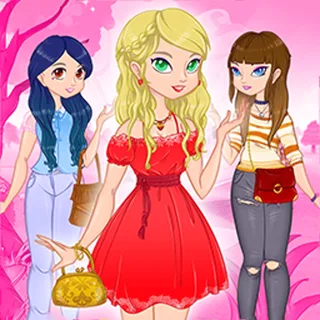
Dress Up the Lovely Princess is not a salon game with scissors and dye. The makeover part is a set of shelves you pick from, one after another. This post walks through the steps between the clothes and the pets, and then explains the hearts you get at the end.
The six step icons
A column of round pink icons on the left shows where you are: clothes, hair and face, jewellery, bags, shoes and pets. The current step glows. You move forward with the green arrow, which only shows up once you have chosen something on the current shelf. In our test, tapping an earlier icon did not jump back, so finish each shelf before you move on.
Hair and face
The wardrobe turns into a shelf of mannequin heads. There are three shelves here, each with 12 choices:
- Hair: 12 wigs, among them brown, orange, blonde, purple and dark blue styles, one with a pink bow and a blonde ponytail.
- Lips: 12 lip colours shown on bare heads.
- Eyes: 12 eye colours and shapes.
The counts come from the game's item table (note.json), which lists 12 entries for each of the three. The heads are small, so look at the girl after each tap rather than at the shelf.
Jewellery
The next step has three more shelves of 12: necklaces, earrings and bracelets. Earrings and necklaces show on heads, bracelets on a shelf of hands. A pink step icon with a necklace marks this step.
Bags and shoes
The bag shelf has 14 bags, the most of any single shelf: handbags, clutches, satchels and small backpacks in red, brown, pink, yellow and black. Shoes come next with 12 pairs, from heels to ankle boots and tall boots. Brown boots with a brown bag was the easiest match we found for most outfits.
| Step | Shelves | Choices |
|---|---|---|
| Hair and face | hair, lips, eyes | 12 each |
| Jewellery | necklaces, earrings, bracelets | 12 each |
| Bags | one | 14 |
| Shoes | one | 12 |
How the hearts work
When the last step is done the screen shows VICTORY, the scene moves outside, and a camera button appears. Press it, the screen flashes like a photo, and a row of six red hearts rises from the bottom. Each heart has a number and the icon of one step under it, in the same order as the step icons.
The numbers are not random. Each item has a value in note.json, and when we played the same choices twice we got the same six hearts both times (6, 9, 8, 5, 6 and 7). In the stored values, bags and shoes sit between 3 and 9 and pets between 7 and 10. The game never shows an item's value before you pick it, so trying different combinations is the only way to raise a heart.
Tips
- Change one shelf at a time between rounds, so you can see which heart moves.
- The arrow does not appear until you choose, so there is no way to skip a shelf empty.
- Use the pause button in the top right corner if you need to stop mid-round.
More from the blog
- Outfit Ideas from the Real Wardrobe in Lovely Princess
The clothes step has 34 pieces on four rails. How a dress differs from a top with a skirt or trousers, and six outfits you can build from them.
- After the Dress-Up: Pets, the Park Photo and Who Made It
The last step adds one of five pets, then the girl walks out to a park for her photo. What happens there, how to play again, and who made the game.