
After the Dress-Up: Pets, the Park Photo and Who Made It
Published · Updated · 2 min read
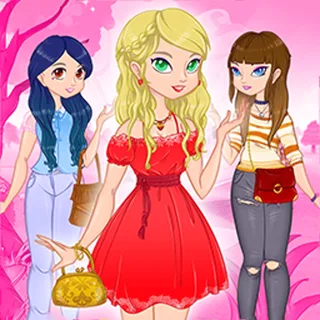
Most of Dress Up the Lovely Princess happens in a pink bedroom. The last step and the ending are different, and this post covers that part: the pets, the trip outside and the replay button. It ends with where the game comes from.
Choosing a pet
The sixth step icon is a paw print. Instead of a wardrobe, the room fills with armchairs and five animals sitting around them: an orange fluffy kitten, a blue puppy, a lilac bunny with a bow, a small yellow bird and a little brown-and-white pet. Tap one and it comes to stand beside the girl.
Five is the whole list; the item table in the build (note.json) has exactly five pet entries. The pet also has its own heart in the final score, the last one in the row.
Out to the park
After the pet, a VICTORY banner crosses the screen and the scene changes to a park. There is a big pink blossom tree on the left with an orange animal curled in its branches, a winding path, a red-roofed building in the distance and a few other girls standing in the background. Your girl stands on the path in the outfit you built, with the pet at her feet.
A green button with a camera on it waits in the middle. Press it and the screen flashes white. Then six hearts appear along the bottom with your score for each step, and the camera button turns into a round replay arrow. How the hearts are worked out is covered in our post on the middle steps.
Keeping the picture
The camera in the game is part of the ending, not a save button: we did not get a downloaded image when we pressed it. If you want to keep a look, take a screenshot while the park scene and hearts are showing. On a Chromebook that is Ctrl plus the show-windows key; on Windows, Windows key plus Shift plus S.
Playing again
The replay arrow starts a new round. Since each item has a fixed value, a second round is the way to test whether a different bag or pet raises a heart. A round is short: six steps, and you can finish one by picking a single item per shelf.
Who made it
The game is by Playtouch, a studio that makes many small HTML5 games. Their name and logo are in the build's image files, and the game's Poki page lists Playtouch as the developer. The build is made with Construct 2 and is hosted on this site, so it loads from dressupgames.one rather than an outside game portal.
The game works with a mouse or a finger. Everything is a tap or click, there is no keyboard control, and it fits a landscape screen best. The title screen also has a sound button and a flag button for the language.
Official page: Dress Up the Lovely Princess on Poki.
More from the blog
- Outfit Ideas from the Real Wardrobe in Lovely Princess
The clothes step has 34 pieces on four rails. How a dress differs from a top with a skirt or trousers, and six outfits you can build from them.
- Hair, Makeup, Jewellery and Bags: The Middle Steps Explained
After the clothes come hair, lips and eyes, then jewellery, bags and shoes. What each shelf holds and how the hearts at the end score you.